Desktop Platform
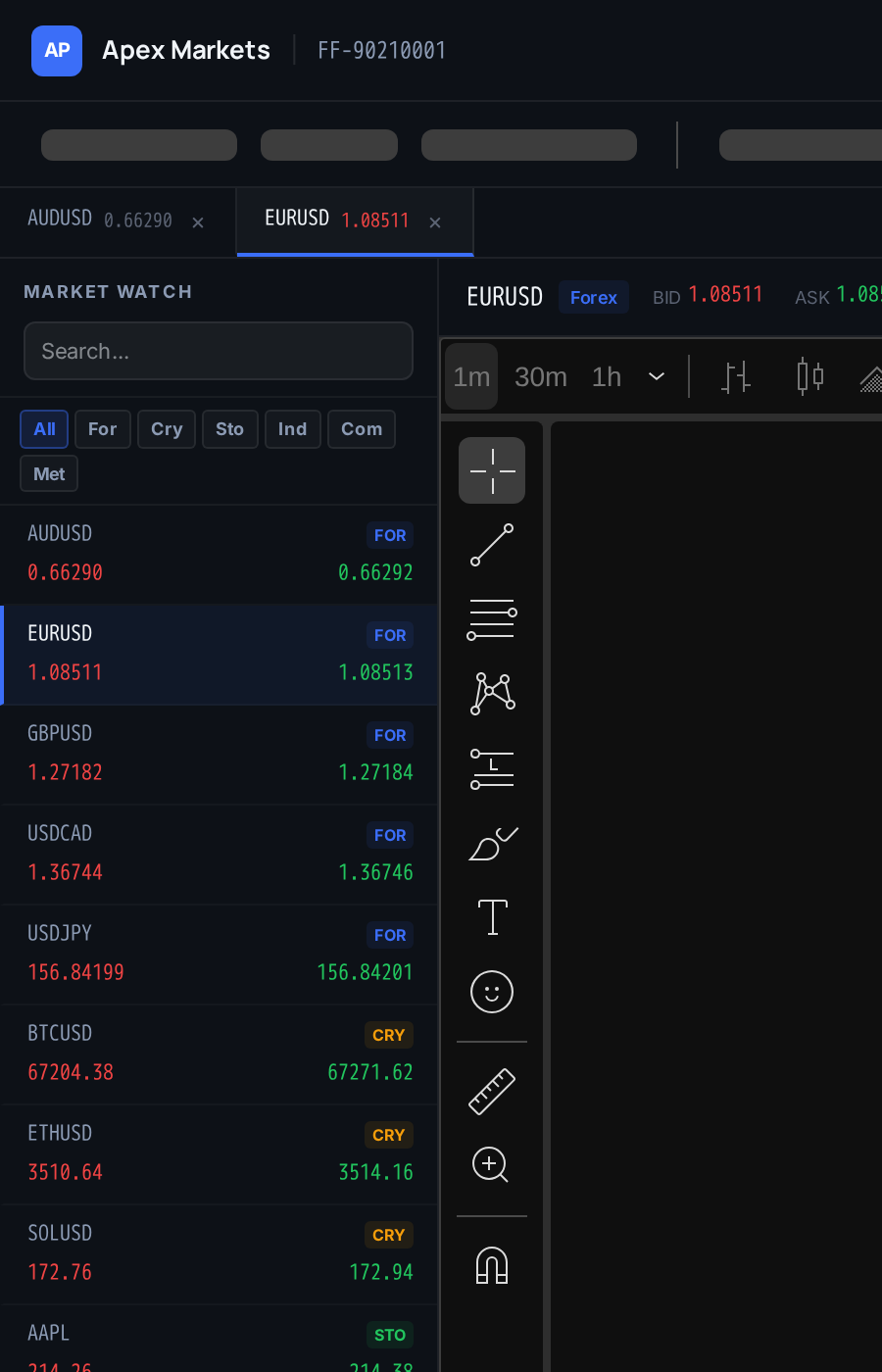
Windows and macOS native apps for traders who sit at a workstation. Multi-monitor layouts, low-latency charts, native WebSocket feeds, auto-update with code signing. Published under your name.
For traders who want pixels, not just phones.
What ships
Serious traders use a workstation. A real desktop app with multi-monitor layouts, native WebSocket feeds, and a signed installer closes the gap between you and a thick-client broker.
Windows and macOS from one codebase, each signed and notarized.
MSI and EXE installers, Authenticode signed with your organization name. Silent install for traders who refuse SmartScreen prompts. Published through your website and optionally to the Microsoft Store.
DMG installer, signed and notarized by Apple under your Developer ID. Gatekeeper opens the app without warnings. Universal binary runs native on Intel and Apple Silicon. Optional Mac App Store release.
Branding
Branded installer with your logo, your license text, and your support contact. Launcher icon and splash screen match your mobile and web branding. Nothing in the chrome says FirmForge.
Logo
40+
Splash
50+
License
80+
Installer
20+
Support
15+
Icon
10+
Multi-Monitor
Pop a chart out to a second monitor. Keep order ticket on one screen, portfolio on another. Save layouts and switch between them. Per-monitor DPI handling so charts stay sharp on 4K alongside 1080p.
Low-Latency
Desktop apps are not throttled by browser tab limits. Charts update at the full feed rate. Order routing uses persistent connections. Local chart cache so switching symbols is instant.
A browser tab in the background drops to a few updates per minute. The desktop app keeps every tick, in the foreground or minimized.
Auto-Update
New builds auto-download in the background and apply on next launch. Delta updates mean a 1 MB download instead of a 50 MB installer. Code-signed so SmartScreen and Gatekeeper never prompt. Rollback to the previous version if the trader hits a bug.
Publishing
Authenticode signing on Windows under your organization name. Apple Developer ID and notarization on macOS. SmartScreen reputation accrues to your name over time. Published through your website and optionally the Microsoft Store and Mac App Store.
Common questions
Nothing fluffy.
The shell is a performance-tuned native container (not vanilla Electron) with the trading engine running native code for charts and WebSocket feeds. Non-chart UI is shared with web for maintenance simplicity. The build is signed, notarized, and auto-updating.
Charts and historical data cache locally, so a trader can review and plan with no connection. Live quotes and order routing require connection. On reconnect, orders queue is reconciled and no duplicate submissions are possible.
You hold the Authenticode certificate under your organization name, with secure copies for our build pipeline. SmartScreen reputation accumulates to your name over time, so new installs stop triggering the Unknown Publisher warning. We handle certificate renewal reminders.
You hold the Apple Developer ID. Every build we produce is signed with your Developer ID, uploaded to Apple for notarization, and the notarization ticket is stapled before distribution. Gatekeeper opens the app with no warnings.
Yes. Panels detach, dock, resize, and snap to monitor edges. Traders save their layouts and switch between them. Layouts persist across updates and sync to our cloud so a trader on a new workstation can restore their setup immediately.
We prioritize Windows and macOS since they cover over 99% of retail trader workstations. Linux is on the roadmap but not scoped for first release. Linux-first traders can keep using the web app, which is already fully featured.
Workstation grade
Signed Windows and macOS installers, multi-monitor layouts, native WebSocket feeds, auto-update. Published under your name and your signing certificates.
Desktop trading, under your brand.