Clients, deposits, withdrawals, KYC, risk, leads, campaigns, staff access, and the full prop firm challenge lifecycle, all from a single admin dashboard built for brokers and prop firms, not retrofitted from generic CRM software.
No credit card required. Included free on every plan, no add-on, no per-seat fee.
Clients
Deposits & Payments
KYC & Risk
Leads & Campaigns
Staff & Permissions
Challenge Management
Built for real operators
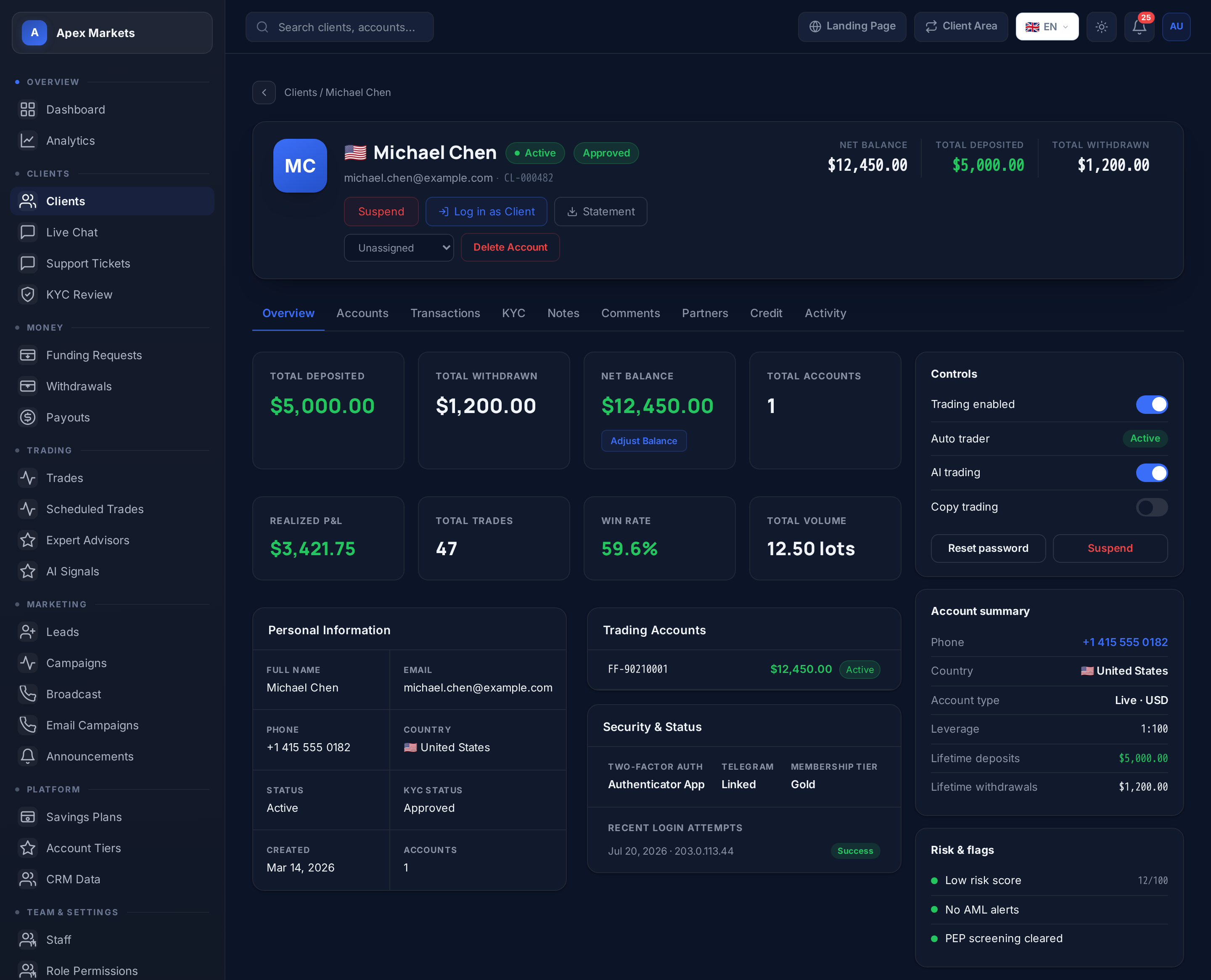
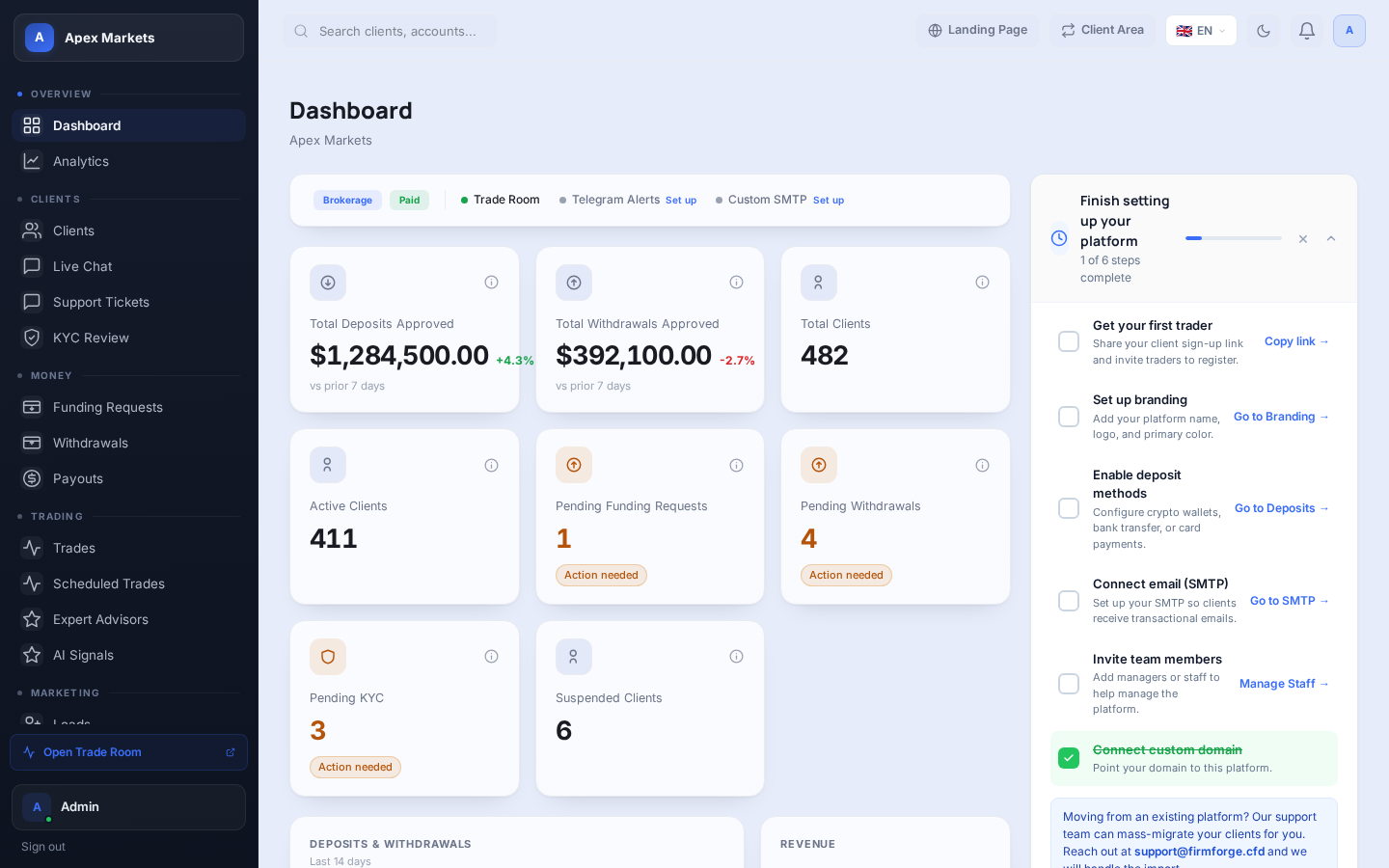
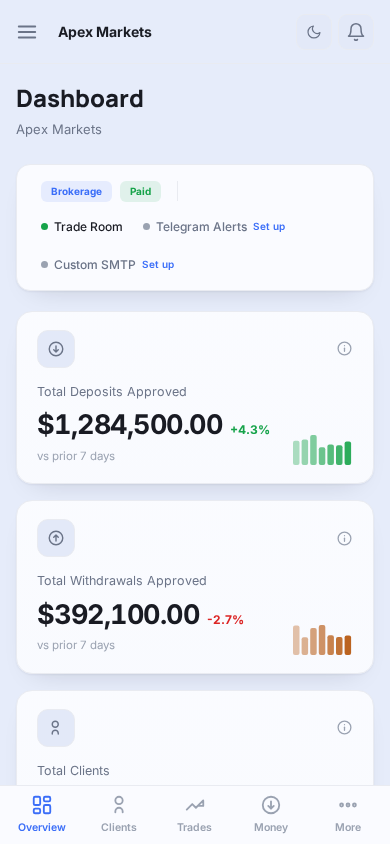
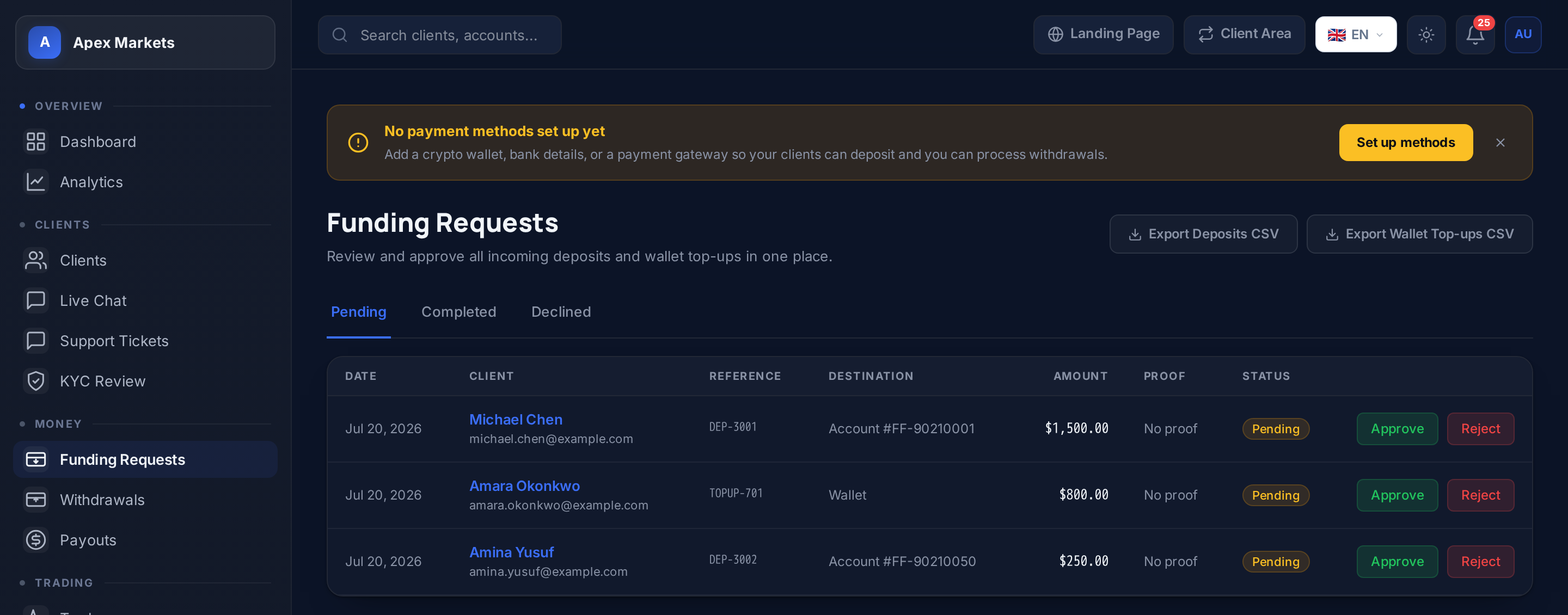
Every screen below is a live screenshot of a real FirmForge admin dashboard, the same one you'll be running your operation from.
The same back-office adapts to whichever platform type you're running, no separate product to buy or learn.
Live trading accounts, wallet deposits and withdrawals, savings plans, AI trade signals, and a full client lifecycle from registration to first trade.
Challenge plans and pricing, evaluation phase tracking, payout approvals, scaling requests, and funded-account monitoring, all from the same dashboard.
Client management
Open a client and see their full picture at a glance: trading account balances, open and closed trades, deposit and withdrawal history, KYC status, and notes from your team. Adjust balances directly, force-close trades, and log in as the client to troubleshoot without asking them to share credentials.
Deposits, withdrawals & payments
Every deposit and withdrawal lands in a review queue with proof of payment attached. Approve, reject, or request more information, and the client is notified automatically. Configure bank transfer, crypto, or card gateways like Stripe and Paystack, then toggle each method on or off per platform.
KYC, compliance & risk
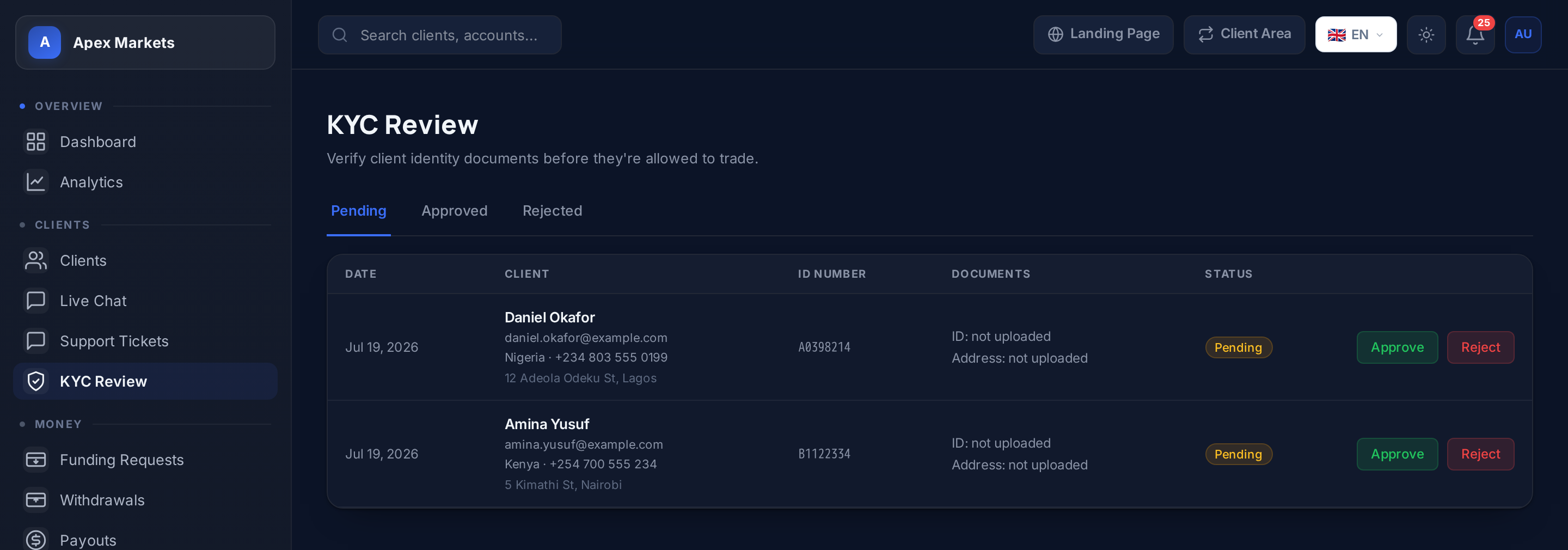
Review submitted ID documents and proof of address side by side, approve or reject with a reason, and request additional documents if something's missing. On the risk side, margin call alerts, force-close controls, and credit balance adjustments give you the same tools a dealing desk would use, without hiring one.
Leads, campaigns & support
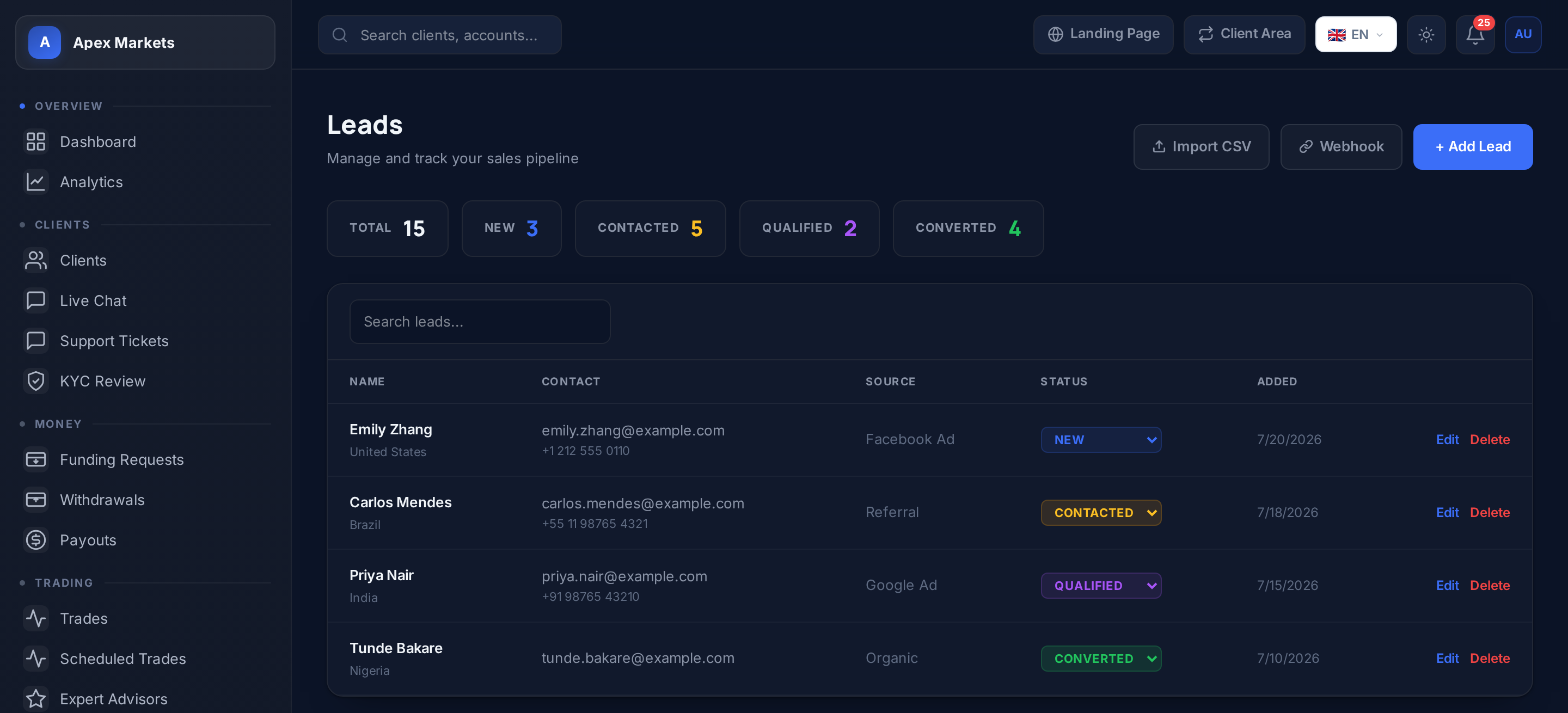
Track every lead through your pipeline from first contact to converted client. Run email and Telegram campaigns segmented by KYC status, account activity, or deposit history. When clients need help, live chat and a support ticket queue keep every conversation in one place, no separate helpdesk tool required.
Staff, permissions & referrals
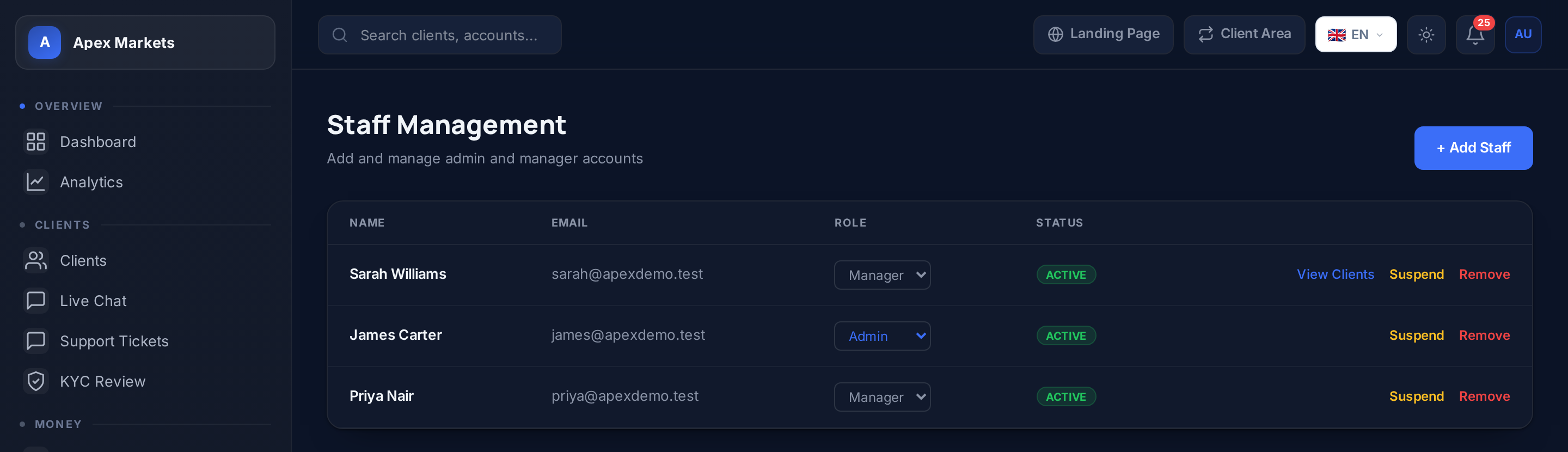
Invite managers and support staff with roles that determine exactly what they can see and do, approve deposits but not adjust balances, view clients but not delete accounts, whatever fits your operation. When you work with introducing brokers or affiliates, track their referred clients and commission earned right alongside everything else.
Prop firm challenge management
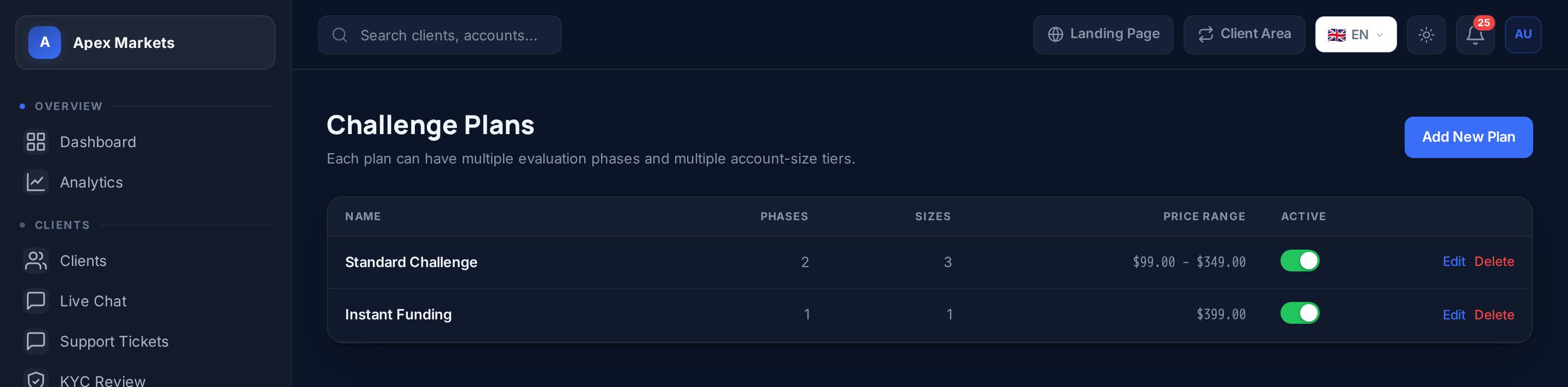
Build challenge plans with your own profit targets, drawdown limits, and account sizes. Configure optional add-ons like a boosted profit split or expanded drawdown. Review scaling requests and payouts as they come in, and let failed challenges reset automatically at whatever discount you set.
It's included on every plan, including the free Starter plan. Client management, deposits and withdrawals, KYC review, and staff access are all there from day one. Higher plans unlock deeper features like campaign tools, AI trade signals, and savings plans, but the core back-office is never gated behind a paywall.
Yes. Invite managers and support staff with role-based access. Each role's permissions are configurable down to the individual action, approving deposits, force-closing trades, deleting client accounts, and so on, so you decide exactly what each team member can touch.
The client, deposit, withdrawal, KYC, staff, and support modules are shared across both platform types. Prop firm platforms additionally get the challenge management module, plans, add-ons, coupons, payouts, and scaling requests, which brokerage platforms don't need and don't see.
Yes. Balance adjustments, KYC decisions, deposit and withdrawal approvals, and trade force-closes are all logged with the staff member who took the action and when. Nothing happens silently.
No. The back-office runs on its own admin subdomain, separate from your client-facing portal, and requires a staff login. Clients only ever see the client area and trade room under your brand.
Yes, on every plan including the free Starter tier. Your back-office runs on admin.yourdomain.com instead of a FirmForge subdomain.
Create your account, choose brokerage or prop firm, and your admin back-office is provisioned instantly on its own subdomain.
No credit card required. Reach out to sales@firmforge.cfd for custom requirements.